Prototypes & The Prototype Chain
Alright, so now we're going to look at everyone's favorite topic, prototypes. This is a topic that I think is made to be over-complicated in a lot of tutorials. I will try and give you the simplist definition that I can.
What Are Prototypes?
Prototypes are a special type of enumerable object where additional methods and properties can be attached and shared across all of the instances of it's constructor function. In JavaScript, every function and object has a prototype. The prototype itself is an object. When we try to access a property on an object, JavaScript will first look for that property on the object. If it doesn't find it, it will look at the object's prototype. If it still doesn't find it, it will look at the prototype's prototype. This continues until it finds the property or it reaches the end of what we call the prototype chain, which is null.
So the dumbed down version is that prototypes are an extra space to hold properties and methods that we can use on our objects. We can add properties and methods to the prototype and they will be available to all objects that inherit from that prototype. This is called prototypical inheritance.
We've used many prototype methods in the previous lessons. For instance, when we have an array and we call the map() method, JavaScript will look for the map() method on the array. If it doesn't find it, it will look at the array's prototype. It will find the map() method and execute it.
Viewing Prototypes
Open your browser console and create an object. It can be empty. Then type the variable name and hit enter
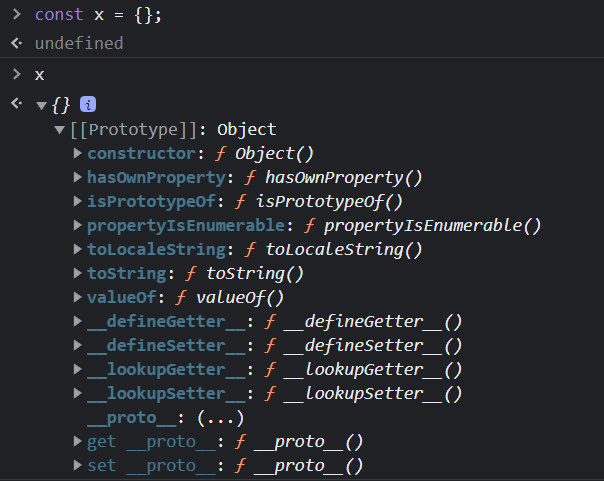
you will see that it has a Prototype property. This is the prototype of the object. If you create an array or a function, it will also have a Prototype property. Everything in JS is an object and every object has a prototype (which is also an objct).
Notice in the object's prototype, there is a constructor. The constructor property is a reference to the function that was used to create the object.
There are some other familiar properties in the prototype, like toString(), valueOf() and hasOwnProperty(). These are all methods that are inherited from the Object.prototype also called objectBase.
Prototype Chain & Prototypical Inheritance
Let's create an array in the console. You'll see the Array.prototype or the arrayBase with some very familiar methods like push(), pop() as well as high order array methods that we have used such as map(), filter() and forEach().
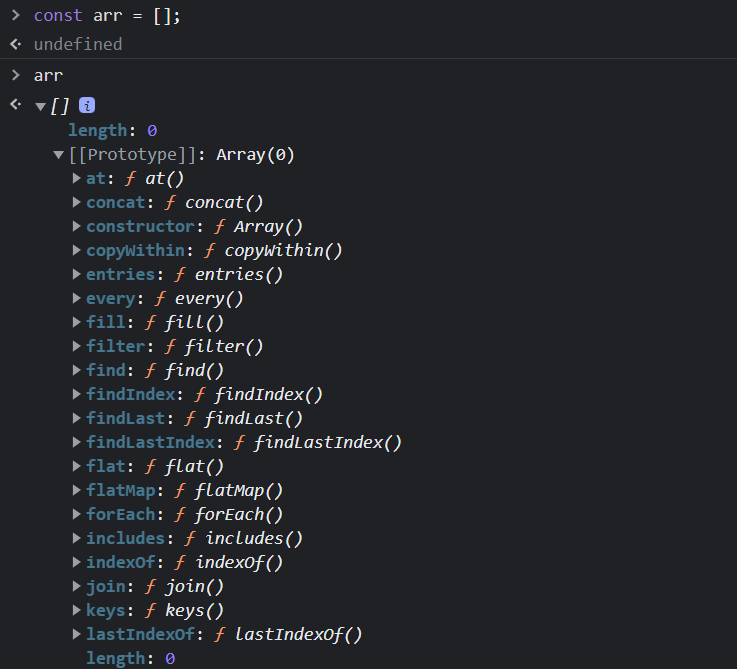
If we scroll down, you will see another prototype object.
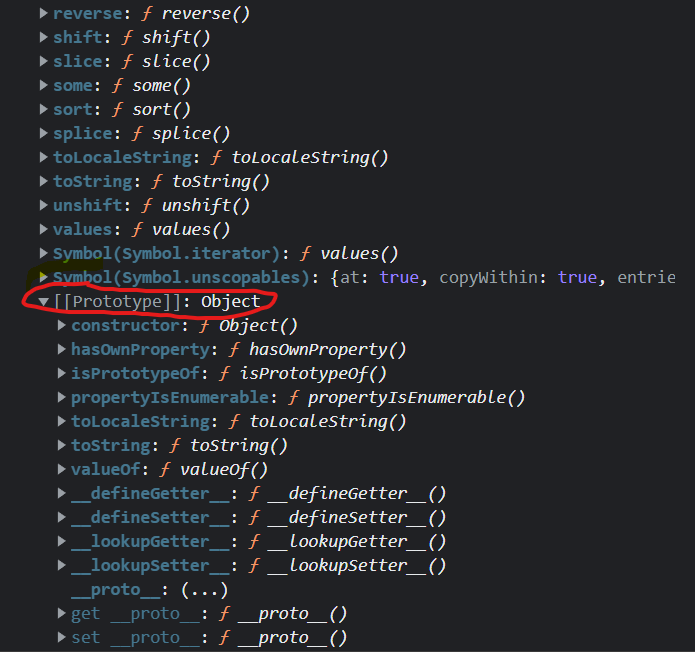
This is because the Array.prototype inherits from the Object.prototype. This is inheritance in what we call the prototype chain. The prototype is itself an object, so the prototype will have its own prototype, making what's called a prototype chain. The chain ends when we reach a prototype that has null for its own prototype.
Let's use our Rectangle object from the previous lesson and create an object and look at the prototype in the console.
function Rectangle(name, width, height) {
  this.name = name;
  this.width = width;
  this.height = height;
  this.area = function () {
    return this.width * this.height;
  };
}

const rect1 = new Rectangle('Rectangle 1', 10, 10);
console.log(rect1);
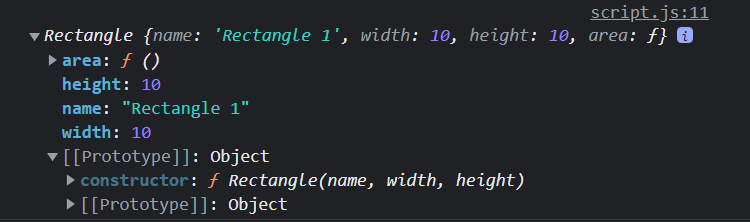
In addition to the values, we can see the prototype, which includes the constructor property. You can see the 3 arguments that the Rectangle constructor function takes.
Notice that this also includes the Object.prototype. That's because the Rectangle constructor function inherits from the Object.prototype or objectBase. This is why we can use the toString() method on our Rectangle object.
console.log(rect1.toString());
// [object Object]
So, the prototype chain looks something like this for the array and our Rectangle objectS:
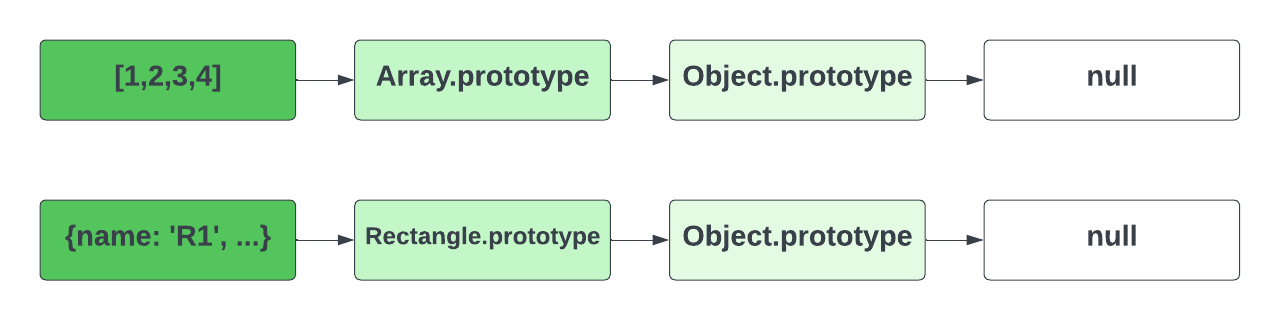
Object.getPrototypeOf() is a method that returns the prototype of an object. Let's use it to get the prototype of the rect1 object.
console.log(Object.getPrototypeOf(rect1));
We see the same thing that we saw in the console.
In the next lesson, I'll show you how to add properties and methods to the prototype.