Project Planning & Diagram
It's always a good idea to take time before starting a project and plan out the steps. This will give you sort of a map and will help you stay on track and make sure you don't miss anything.
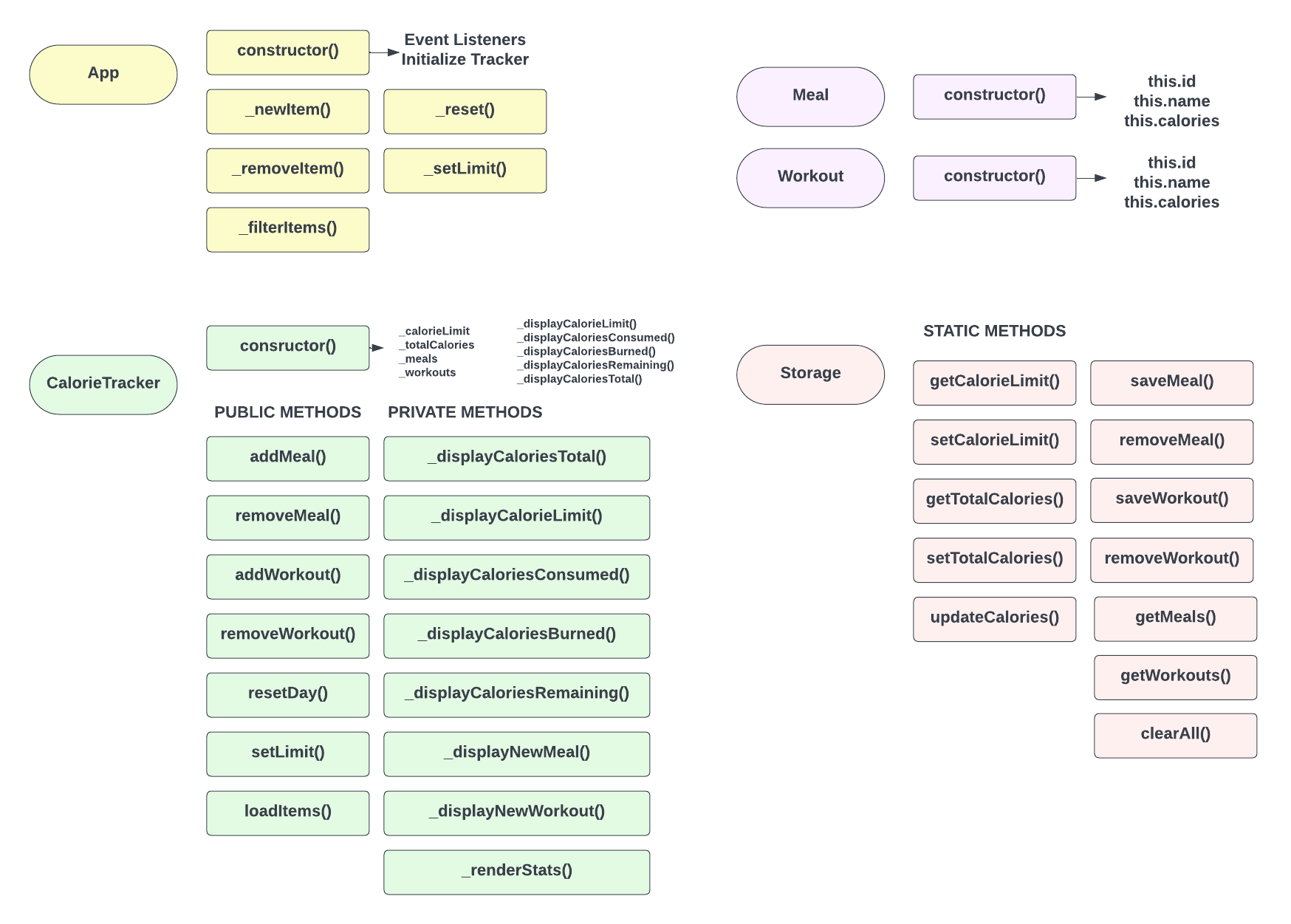
The following diagram shows every class, property, method and relationship that will be needed for this project.
App Class
The App class is basically the initializer. This is the only class that we instantiate in the global scope. Everything kicks off from there.
In the constructor, we will instantiate the CalorieTracker class, which is responsible for anything to do with tracking and displaying calorie related data. We will also have all of the event listeners in the constructor of the App class.
We will be using the tracker within all of the App class methods, so we will store it in a property called _tracker.
We are abiding by the underscore convention for private properties and methods that should only be accessed within that class.
CalorieTracker Class
This is the main class for all of our calorie tracking and displaying. It will hold properties for the total calories, daily limit, meals and workouts. It will also have methods for adding and deleting items as well as displaying calorie data in the DOM.
Meal & Workout Classes
The Meal and Workout classes will be very simple. they will only have a constructor with an id, name and calories property. When we use the addMeal() or addWorkout() methods in the tracker, we will be passing in an object instance of the Meal or Workout class.
Storage Class
The Storage class will be responsible for storing and retrieving data from localStorage. We will store the total calories, calorie limit, meals and workouts. This will let us persist the data even if the user refreshes the page. All of the methods in this class will be static. There is no need to instantiate this class because there is only one localStorage.
Hopefully, this gives you an idea of how the project will be structured.